A Rocket Money alternative without a bank login
Rocket Money finds your subscriptions by reading the bank accounts you link, and it sells Premium as a recurring plan. Subby goes the other way. You type each subscription in once, nothing connects to your bank, there is no account to make, and PRO is a single payment. Here is what that trade costs you and what it buys.


What Rocket Money does that Subby doesn't
Start with the fair part. Rocket Money links your checking, savings, credit card and investment accounts and reads the transactions. That is how it finds recurring charges you had forgotten, and no manual tracker can do that. It also budgets across everything you spend, tracks net worth and your credit score, negotiates some bills, and on its paid plan it offers to handle cancellations on your behalf. If you want one app for your whole financial picture, that is a different product from Subby, and probably the right one.
Why people look for a Rocket Money alternative
Some people never want a third party reading their bank feed. Rocket Money connects through Plaid, which its security page calls “a trusted third-party service that securely connects apps like Rocket Money to your bank”, and it says it never sees your banking password. Whether that trade is worth it is your call. Plenty of people make it happily.
Others leave over money. Premium is a recurring plan, and an app that helps you cut subscriptions by adding one strikes some reviewers as odd. On October 17, 2026 we read the most recent one and two star reviews on the US App Store. Three themes kept coming up: a Premium charge that arrived after the reviewer had cancelled, promotional screens pushing the upgrade, and bank connections that dropped and would not come back. A review is one person's account, and a 4.5 average from nearly 400,000 ratings says most users are satisfied. But if the surprise charge or the broken connection is your story, an app with no bank link and nothing recurring takes both off the table.
Rocket Money and Subby, side by side
| Subby | Rocket Money | |
|---|---|---|
| Bank login | Never asked for. | Linking is how it finds your subscriptions: “Link your checking, savings, credit cards, and investments accounts to see everything in one place.” rocketmoney.com verified Oct 17, 2026 |
| Account | None. Install it and start adding. | Yes. Signing up is the first step on its site. rocketmoney.com verified Oct 17, 2026 |
| How subscriptions get in | You add them, from 600+ built-in services or, with PRO, from a screenshot. About twenty seconds each. | It finds them in the linked accounts' transactions. The listing says it “instantly finds and tracks your subscriptions”. App Store listing verified Oct 17, 2026 |
| Price | Free with ads. PRO is one payment and never renews. | A free plan, and Premium as a recurring plan sold in the app. Subby vs Rocket Money has the dated price. App Store listing verified Oct 17, 2026 |
| Cancelling a service | Subby reminds you before the charge, and you cancel with the provider. Our cancel guides walk through each one. | A Premium feature: “Let us cancel your subscriptions for you.” rocketmoney.com verified Oct 17, 2026 |
| Reminders | Before every charge, at the lead time you pick. Each names the amount, the card and the cycle, with Mark as paid on the notification. | The site lists balance alerts on the free plan, and the listing names alerts when you near a budget. Neither names a reminder lead time per subscription. rocketmoney.com verified Oct 17, 2026 |
| Free trials | A trial carries its end date and the price it becomes, with a reminder before it converts. | Its homepage does not mention tracking free trials, and a trial that has not charged yet leaves no transaction to find. rocketmoney.com verified Oct 17, 2026 |
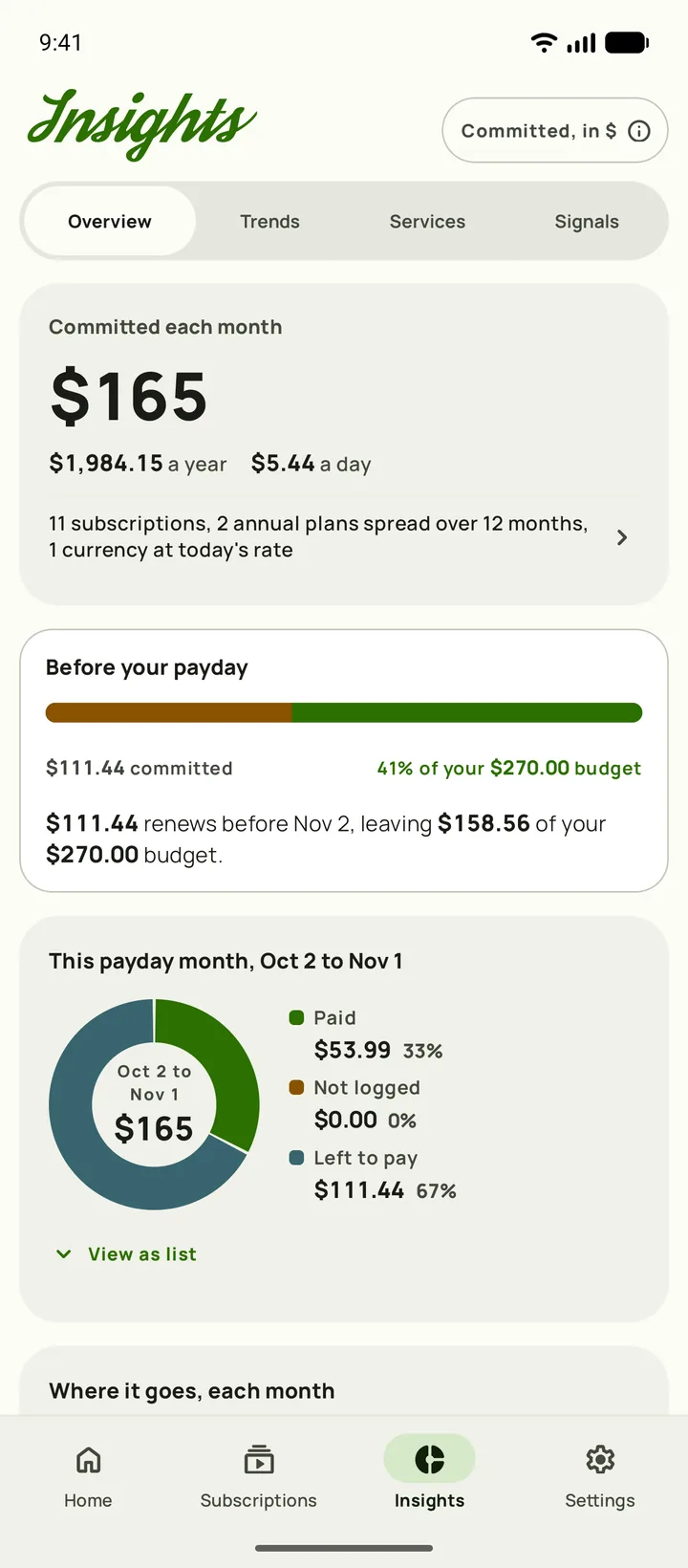
| Insights | Free for everyone, from the list you keep: twelve months of real spending, price creep per service, the year ahead and what cancelling has saved you. | Spending tracked by category across every linked account, with budgets. App Store listing verified Oct 17, 2026 |
| Where your data lives | On your phone. Optional backups go to your own iCloud or Google Drive, and we keep no copy of your list. | In your Rocket Money account: “Your data is hosted on Amazon Web Services (AWS)”, with some on Google Cloud Platform. rocketmoney.com/security verified Oct 17, 2026 |
Building your list without a bank feed
Manual entry has one real weakness. It only knows what you tell it, so spend the first half hour on the list. The sources are the ones a bank feed reads anyway. You just read them yourself.
- Go through a full year of bank and card statements, not three months, so the yearly renewals show up. Finding subscriptions on your bank statement covers the merchant names to look for.
- Open the app store lists. One line from Apple or Google on a statement can stand for several subscriptions, and the full list is in Settings on iPhone or Google Play on Android.
- Check PayPal's automatic payments, which put PayPal's name on the statement instead of the merchant's. Cancelling subscriptions paid through PayPal shows where the list lives.
- Add each one to Subby with its next payment date and a reminder lead time. Trials go in with their end date.
Tracking subscriptions without a bank account goes deeper on what a bank feed misses, and when linking one is the better call.
What Subby does once the list is in
- Reminders that state the charge. Each one names the amount, the card and the cycle. Mark it paid from the notification. Leave it unpaid and Subby keeps reminding you for up to a week.
- Trials, tracked to the day. A trial goes in with its end date and the price it becomes. It stays out of your total until it converts, and the reminder comes first.
- Insights, free. What you commit each month, twelve months of real spending, price creep per service, the year ahead and what cancelling has saved you.
- Payday and budget. Set the day you get paid and a monthly budget, and Home shows what is still to come this pay period.
- Nothing to sign in to. Your list stays on your phone. PRO backs it up to your own iCloud or Google Drive.
- PRO, once. Screenshot import, cloud backup, the widget and no ads, for one payment through Google Play or the App Store.
Leaving Rocket Money cleanly
- Screenshot your recurring list in Rocket Money before you close anything. It is the best starting list you will get.
- Cancel Premium with whoever bills it. Rocket Money's help center gives the steps: open Settings, select Membership, choose Manage Membership (Manage on the website), move the slider to $0/month, then select Cancel Subscription. If you pay through the App Store or Google Play, cancel it there instead, on iPhone or on Google Play.
- Premium runs to the end of the billing cycle. Put that date in Subby with a reminder, and check your statement once it passes.
- Deleting the account is a separate step from cancelling Premium, so do it last, after the final billing date, if you no longer want Rocket Money holding your transaction history.
Choose Rocket Money if…
you cannot name what is charging you, you want a budget across all your spending, or you want someone else to handle the cancelling. A bank feed finds what you forgot, and Subby never will.
Choose Subby if…
you know your list, or can rebuild it from a year of statements, and you want a reminder before each charge without giving any app your bank login. Free with ads, Insights included, and PRO is one payment.
Rocket Money is a trademark of its owner, named here for factual comparison only. We read its facts off its own site, its help center and its US App Store listing on the dates shown, and the review themes off the US App Store on October 17, 2026. A review is one person's report, not a measurement.
Keep the reminders, leave the bank out
Add your first subscription in about twenty seconds. Free with ads, no account, no bank login, and PRO is one payment.


Free · No account · No bank login
Sources
- Rocket Money official homepage (plans, account linking, cancellation service, sign-up)
- Rocket Money security page (Plaid account linking, AWS and Google Cloud hosting)
- Rocket Money Help Center. Managing my Premium Membership
- Rocket Money on the App Store (features, in-app purchases, ratings and reviews)